Building a fitness tracking app means facing dozens of blank screens before users even break a sweat. Zero runs logged. Empty diet tabs. Dead connections.
Leaving those spaces bare makes your product feel unfinished. Hiring a dedicated digital artist to draw thirty custom scenes? That pushes your beta launch back by at least a month and drains your bootstrap budget.
Independent developers face a brutal design hurdle. We need complete UI empty states from stock libraries without looking like every other SaaS clone on Product Hunt. Default asset packs usually create a mismatched aesthetic. Immersion instantly breaks when a flat vector icon sits next to a 3D isometric rendering.
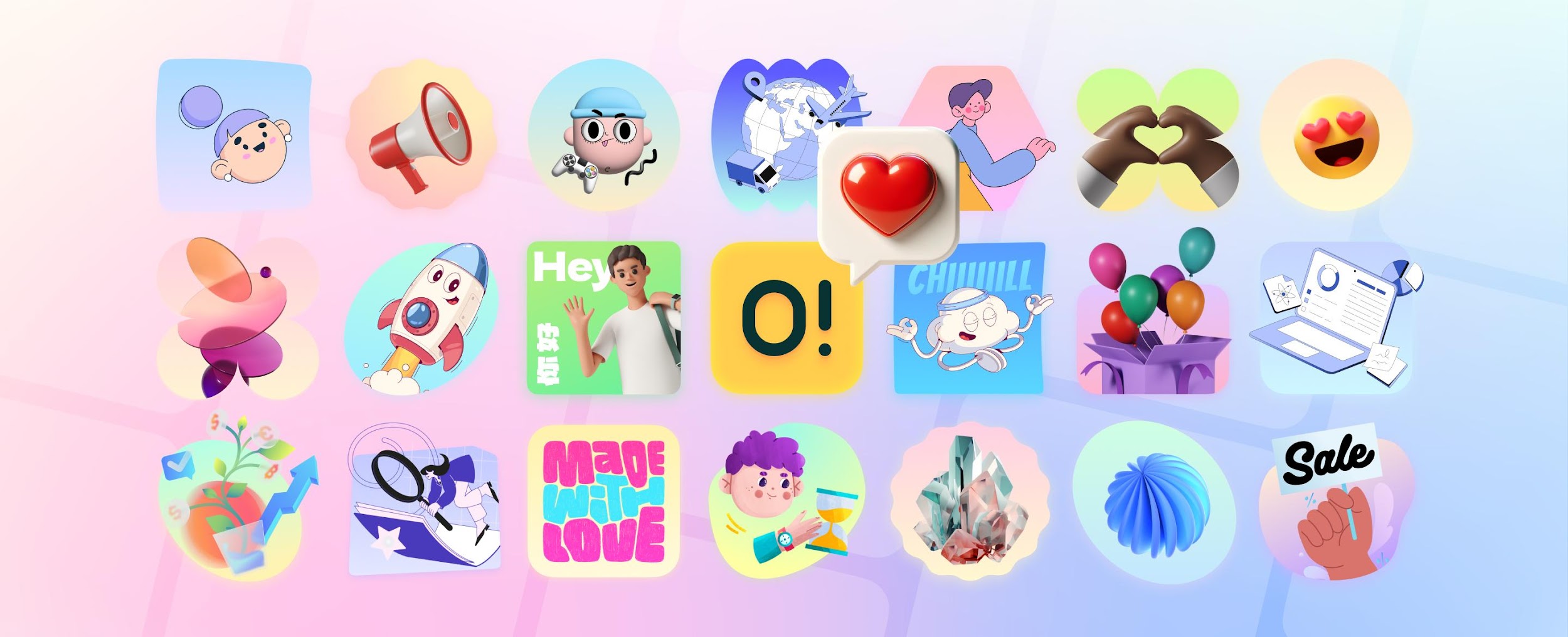
Ouch, an illustration library built by Icons8, solves that exact problem. They prioritize strict style consistency across thousands of production-ready graphics.
Finding Consistency Under Pressure
Thursday night deadlines always bring surprises. Right before a critical TestFlight release, my fitness platform faced a glaring visual issue. Beta testers said post-workout review screens felt exactly like staring at an Excel spreadsheet. Raw data sat there, but the emotional reward for finishing a grueling 5K was completely missing.
I needed cohesive visuals immediately.
Instead of scouring random graphic dumps on Google, I opened Ouch. Filtering specifically for simple line art felt incredibly intuitive. Every asset falls into one of 101 distinct illustration styles. Finding a matching set of characters stretching, sprinting, and resting took barely ten minutes.
Those rushed screens looked totally deliberate. Users assumed we planned them from day one of the UI design phase.
Building a Complete Onboarding Flow
Great onboarding flows tell a quick visual story. My app needed three sequential steps: setting weekly goals, tracking daily workouts, and analyzing core metrics.
Minimal monochrome styles matched my dark mode interface perfectly. Ouch packs over 23,000 tech and 28,000 business graphics. Compromising on subject matter rarely happens when you have that much inventory.
Search for specific objects instead of pre-made scenes. That single habit saves hours of frustrating browsing time.
Default assets shipped in basic black and white. Our app relies heavily on neon green for primary buttons and focus states. Using their web-based Mega Creator tool, I isolated accent layers on each individual vector graphic. Swapping them to my exact brand hex code took just a few clicks. Next, I rearranged several background elements to fit tight vertical mobile constraints perfectly.
Exporting those three updated files as SVGs happened instantly. Dropping them directly into my Xcode project took seconds. They scaled beautifully across every iPhone screen size without pixelating.
Animating the Empty States
Static error screens feel incredibly lazy. Animated error states elevate your entire mobile product.
Lost GPS signals deeply frustrate dedicated runners. Visual cues should acknowledge that annoyance while keeping the active interface feeling alive and responsive.
Library animation formats handle these secondary states beautifully. Locating a disconnected satellite graphic in my chosen style family was simple enough. Checking the export options revealed something even better for developers. Grab animations directly as Lottie JSON or modern Rive files.
Downloading that lightweight Lottie format bypassed complex video rendering completely. I dragged the JSON file straight into my code repository. Setting it to loop continuously took exactly one line of Swift code. Linking it to the network state observer was just as fast and painless.
File sizes remained tiny. Overall user experience skyrocketed. GPS drops now trigger a smoothly animated graphic that feels totally native to the core application.
Evaluating the Alternatives
Choosing an asset library requires balancing massive volume against visual uniqueness.
Freepik offers enormous file counts for hungry developers. Contributor styles vary wildly, though. Grabbing a shopping cart icon from one artist and a 404 graphic from another creates pure visual chaos. Hours vanish while manually tweaking line weights and color palettes trying to force a match.
Software engineers love unDraw for very good reasons. It costs absolutely nothing and offers basic color customization out of the box. Saturation severely ruins its appeal. That highly specific unDraw aesthetic screams "bootstrapped startup template" instantly.
Blush excels at customizing character poses and diverse scenes. Base styles are unfortunately quite limited in sheer number.
Ouch sits right in the practical sweet spot. You get enough sheer volume to cover obscure edge cases easily. Every single asset stays strictly corralled into professional style categories.
Where the Library Falls Short
Stock asset systems can't solve every single design constraint imaginable.
Highly precise anatomical diagrams of major muscle groups require real medical artists. General asset libraries just won't cut it for deep technical accuracy. Ouch handles everyday human activity brilliantly. It definitely won't replace a skilled technical illustrator for specialized educational content.
Free pricing tiers always come with strict strings attached. Icons8 requires visible attribution links back to their site. Personal development blogs or student portfolio projects handle those credits fine. Commercial mobile apps suffer badly under those rules. Slapping attribution text on every single empty state screen ruins the clean interface you worked so hard to build. Paid monthly plans become absolutely necessary for using high-resolution SVGs legally without attribution.
Physical merchandise licensing creates another very hard legal boundary. Viral consumer apps often spawn organic t-shirt or coffee mug sales. Standard paid software plans don't cover commercial print-on-demand merchandise runs. Specialized commercial permissions require contacting their sales team directly to negotiate terms.
Optimizing the Workflow
Integrate visual assets smoothly into your daily dev routine with a few smart habits.
Pick one specific style family early. Mixing 3D surrealism with flat sketchy looks destroys interface cohesion instantly.
Hunt primarily for isolated objects. Tagged individual elements make building custom compositions much easier than modifying crowded scenes.
Keep their Pichon desktop app running silently. Drag transparent PNGs directly onto your design canvas or code editor without ever opening a web browser.
Swap out bad elements immediately. Did you find an illustration matching your layout but featuring the wrong main character? Customization tools let you exchange body parts before ever hitting the download button.
Pre-made visual assets can actually build beautiful UI systems quickly. Brand identity doesn't have to suffer in the process.
Find asset libraries prioritizing consistent aesthetic coverage over random graphic dumps. Stick strictly to one visual category. Edit raw vectors to match your exact brand color palette perfectly.
Populate every obscure empty state and hidden error screen confidently. Users will honestly swear you hired an expensive in-house ill
Ready to Start Issuing Digital Badges?
Join thousands of organizations using Issue Badge to recognize achievements and build credibility.
Get Started Free